
TotalCAE 2026.09 is now released!
This release makes our TotalCAE Portal command-line interface (CLI), called tsubmit, even more accessible for automated workflows, integration with agentic tools such as SpaceX Cursor, and design-of-experiment tools.
If you are interested in how to use popular AI tools to automate tedious work, register for our webinar Reduce Tedious CAE Work with Agentic AI Tools
Get the Automation Tsubmit command line in one click from any job
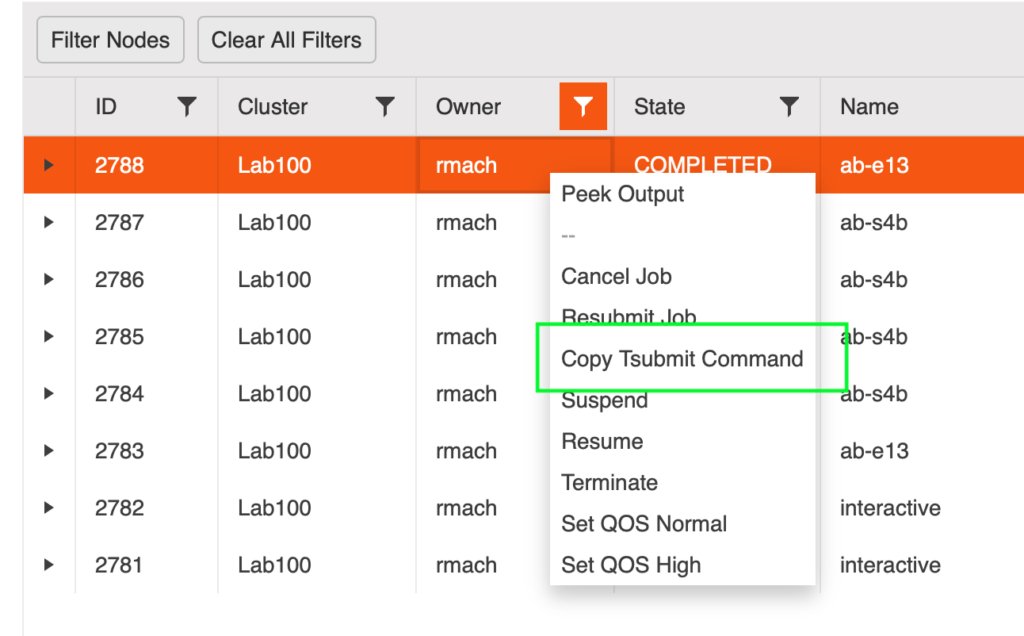
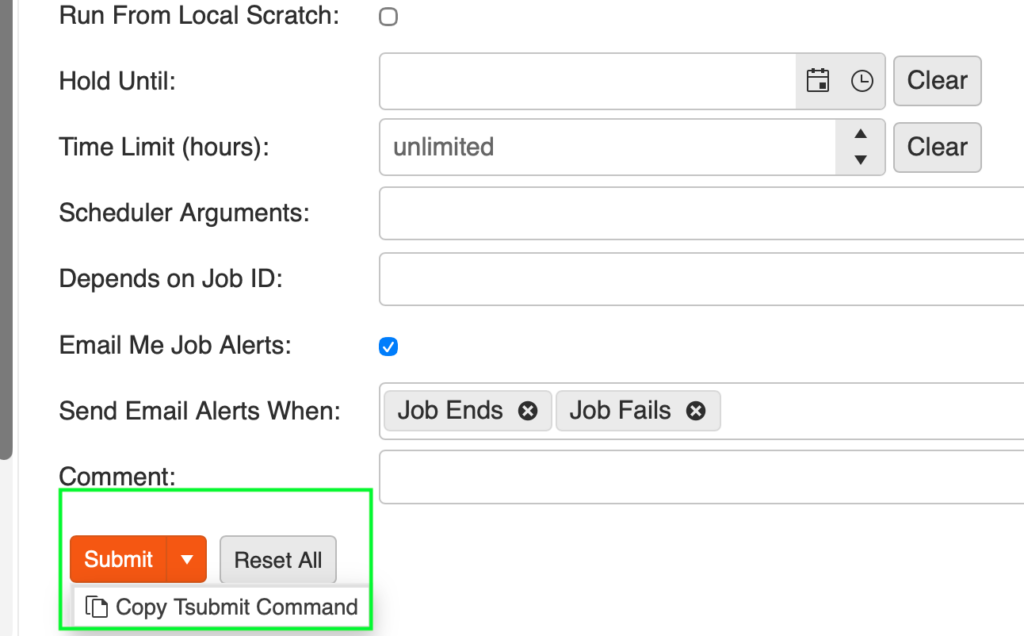
We have now made it simple to get TotalCAE tsubmit automation in one click by clicking any job and requesting it, or by setting up the job in the TotalCAE Portal and requesting the command-line version without submitting the job. Getting up and running with greater productivity, faster, is a TotalCAE goal, and we hope this release will make it even easier for you to start your automation journey.
One click on any job in the Job List copies the automation command to your clipboard
Or setup the job in the web portal and copy the command instead of submitting the job
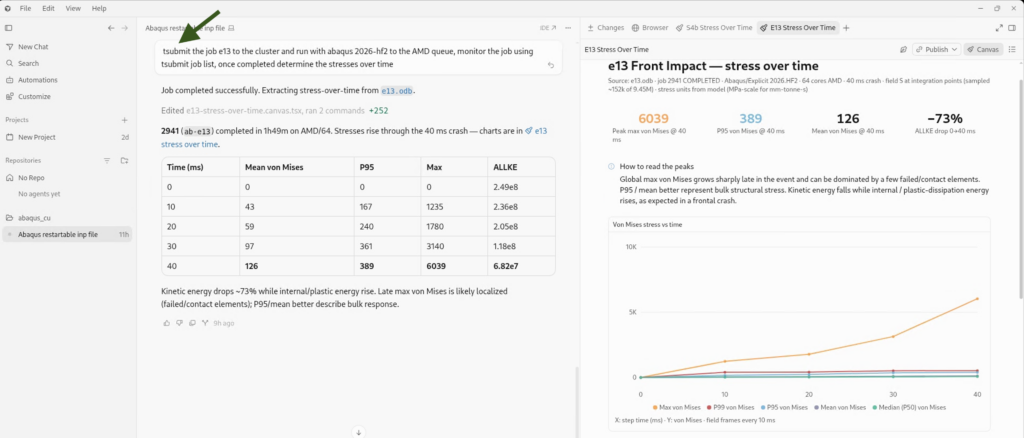
Agentic Workflows with TotalCAE tsubmit CLI
Reduce time spent submitting jobs and seamlessly submit to HPC clusters and the cloud with your favorite agentic tools, like SpaceX Cursor and Google Gravity.
We have enhanced our CLI so agentic tools let you do engineering automation work using just English—our favorite programming language!
For example, Cursor can leverage tsubmit to seamlessly submit, manage, and monitor HPC job-submission workflows, like submitting this Abaqus job to an HPC cluster and extracting results.
New in 2026.09 – Examine any file through tsubmit without downloading it
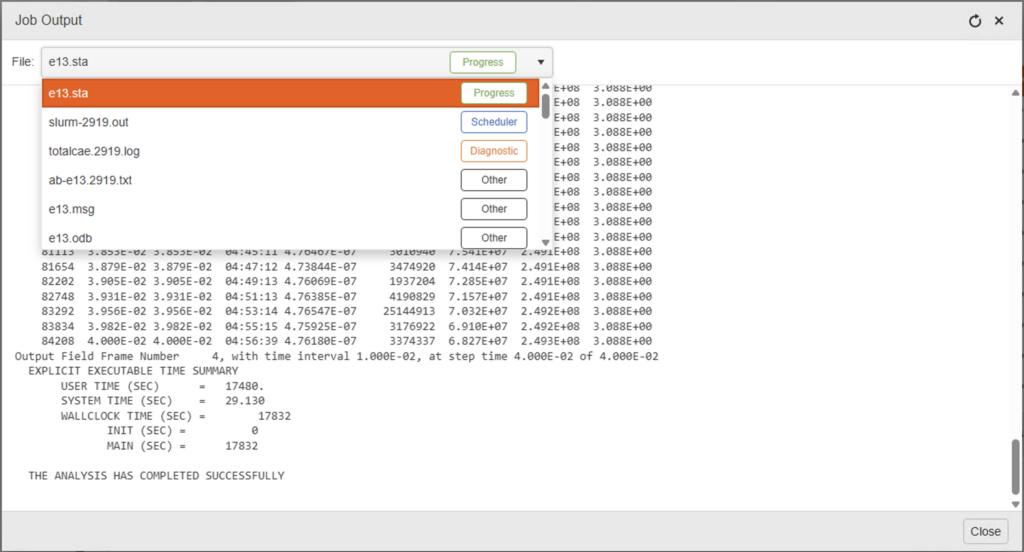
A key part of agentic workflows is being able to get file status easily via the CLI or API. tsubmit and the TotalCAE platform now allow you to “peek” at any file without downloading the entire file while your job is running, via the portal, mobile application, and CLI. Choose between the latest status file for any particular application (even if you are not sure which file to monitor) and separate scheduler output and diagnostic outputs to dial in just the output you are looking for.
To automate the portal peek shown below, you can now use tsubmit job peek to look at any updates to any file without downloading it, and filter by file type.
Cloud Updates
The cloud is getting busier, and on-demand capacity is getting harder to get for popular instances without pre-purchased capacity reservations, so we now have full support for On-Demand Capacity Reservations (ODCR) with AWS on this release along with updated create from image support. We also now support Azure Spot.
New License Aware Scheduling Update
We support even more complicated commercial license-aware scheduling scenarios in this release that address client requests such as:
- Failover licenses, where you have a license feature on a primary and an overflow or secondary license server and want to schedule a job if it can start on either
- Schedule on duplicate feature names — schedule on duplicate license features, where you may have an International feature and a North America feature with the same name
- Multiple server licenses — schedule on different license servers, where users have different license servers they are supposed to use
- Support for OR licenses, where jobs can start with a multitude of different license combinations
- Updates to our almutil support for Altair HHWU HyperWorks hosted and on-premises licenses.
There are hundreds of other improvements, support for new solvers, and client requests in this release. For a complete list, check out the TotalCAE support forums page.